Skip to content

File Management Module

Keep Every Legal Document in Its Correct Context and Accessible According to Permissions

Bank files include contracts, memoranda, judgments, correspondence, powers of attorney, cheques, and reports. With multiple versions and storage locations, identifying the correct version and retrieving documents becomes difficult, and a user may reach information outside their permissions.

The module provides a digital folder and file structure linked to legal records and supports uploading, classifying, searching, and permitted file operations according to permissions.
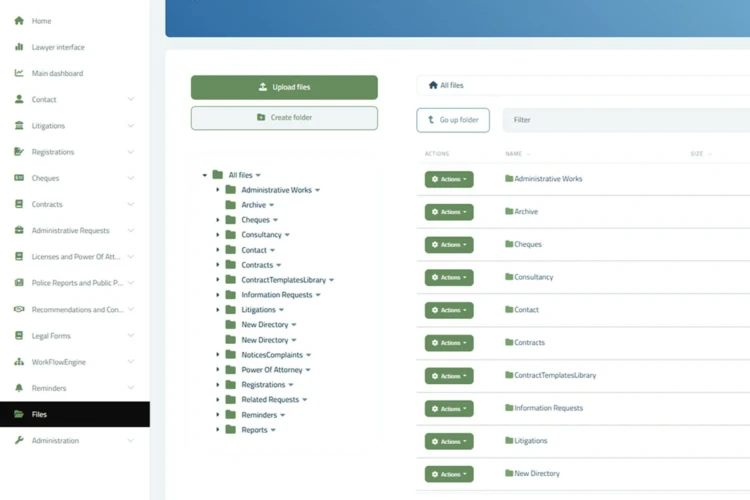
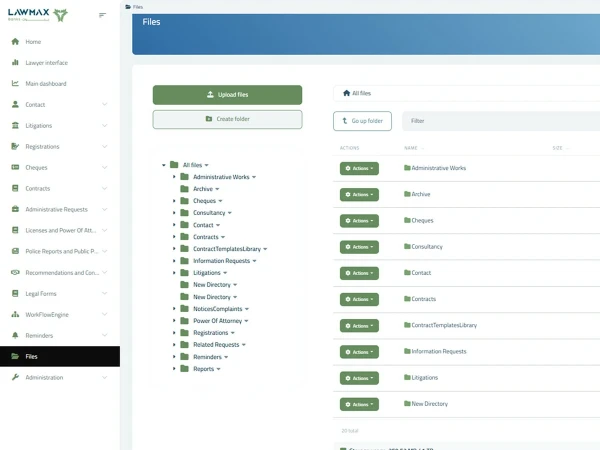
What Does the Module Display / Manage?

  • Create legal folders and classifications.
  • Upload files and link them to records.
  • Search by name, type, date, and context.
  • Copies and versions when version management is available.
  • Move and reclassify according to permission.
  • Access permissions and activity record according to available capabilities.

Questions This Module Answers

  • Where is the document?
  • What is the final version?
  • Is the file complete?
  • Who added or modified the document?
  • Who has access permission?

How Does It Help Firm Management and the Team?

Accesses documents through the linked record.

Reviews documents within authorized access.

Organizes folders and uploads files.

Supports access and backup policies according to scope.

Value & Operational Return

  • Reduce search time.
  • Reduce lost files or use of an incorrect version.
  • Improve file readiness for audits and hearings.
  • Strengthen information protection through permissions.
  • Link the document to its legal context.
  • Build a digital legal memory.

File Management in LAWMAX is not general storage; it is a legal memory linking each document to its file, permissions, and history.
