Skip to content

Legal Forms

Approved Court Forms and Innovative Internal Forms in One Library

Preparing applications and forms manually consumes time and increases the likelihood of missing data or using an outdated version, especially because the forms themselves differ in nature. Some are official approved forms tied to court-system requirements whose wording must not be altered, while others are internal administrative forms that need customization according to each firm’s policies. Mixing the two types or using an outdated version can delay or cause rejection of a procedure.

LAWMAX’s Legal Forms Module manages two types of forms in one operational library: official legal forms approved and aligned with court-system requirements, and fully customizable internal administrative forms based on firm needs, such as medical-leave forms, advance-payment requests, HR forms, and internal Legal Affairs forms, with the ability to create any new form using a design specified by the firm. Where the feature is supported, selected file data can be populated and the output converted to Word or PDF within a review and approval path.
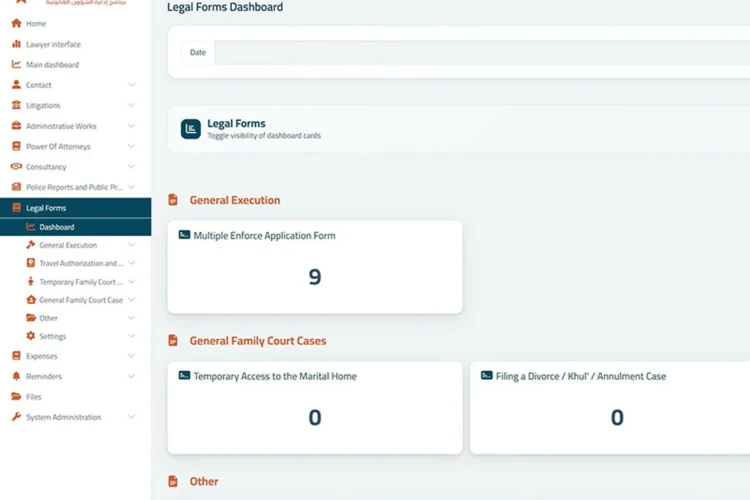
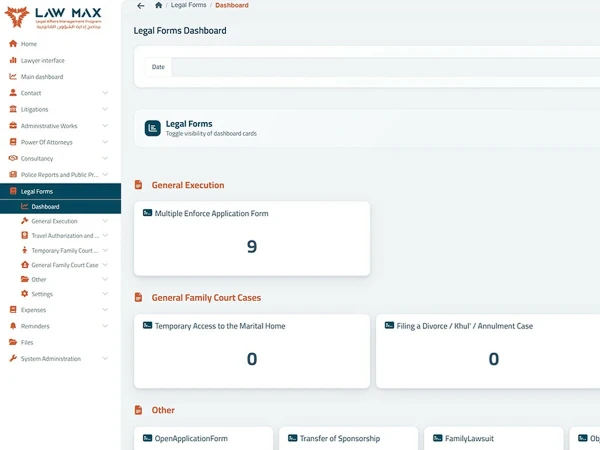
What Does the Module Display / Manage?

  • Application forms, submissions, and legal templates.
  • Form classification: official legal form approved by the court system, or customizable internal administrative form.
  • Version number, approval date, and latest review.
  • Form owner and editing permissions.
  • Form status: draft, completed, approved, or submitted.
  • Required attachments for each form.
  • Cancelled versions and change history.
  • Record of forms used in each file.
  • Review and approval path when enabled.
  • Internal administrative forms that can be created.
  • Ability to create a new custom form with fields and design defined by the firm according to use.

Questions This Module Answers

  • Which form is required for this procedure?
  • Is this an official form approved by the court system or an internal administrative form?
  • Has the form been linked to the case?
  • Are the data and attachments complete?
  • Who prepared, reviewed, or approved the form?
  • Has the form been submitted, or is it still being prepared?
  • Which files used this form?

How Does It Help Firm Management and the Team?

Prepares forms faster and in a consistent format.

Enters data and verifies completion of formal requirements.

Monitors incomplete or overdue forms and their approvals.

Value & Operational Return

  • Reduce time spent preparing forms.
  • Improve quality and consistency of official documents.
  • Reduce errors caused by missing data or attachments.
  • Manage versions and updates clearly.
  • Support digital transformation of firm procedures.
